ShopDreamUp AI ArtDreamUp
Deviation Actions


Suggested Deviants


Suggested Collections


You Might Like…


Featured in Groups





Description
Night Lion 3.0beta on progress
msstyles only:: [link]
UPDATED November 22, 2012!!
:a lot of fixes on the rainmeter taskbar skin
:included Champagne and Limousine FONT in the file (error)
PLEASE INSTALL CHAMPAGE & LIMOUSINE here [link]
Please add this line on your Rainmeter setting (Right Click RAINMETER icon at system tray > Edit Settings > Add this line
DesktopWorkAreaType=0
DesktopWorkArea=0,22,((#SCREENAREAWIDTH#)),((#SCREENAREAHEIGHT#-54))
==========================================
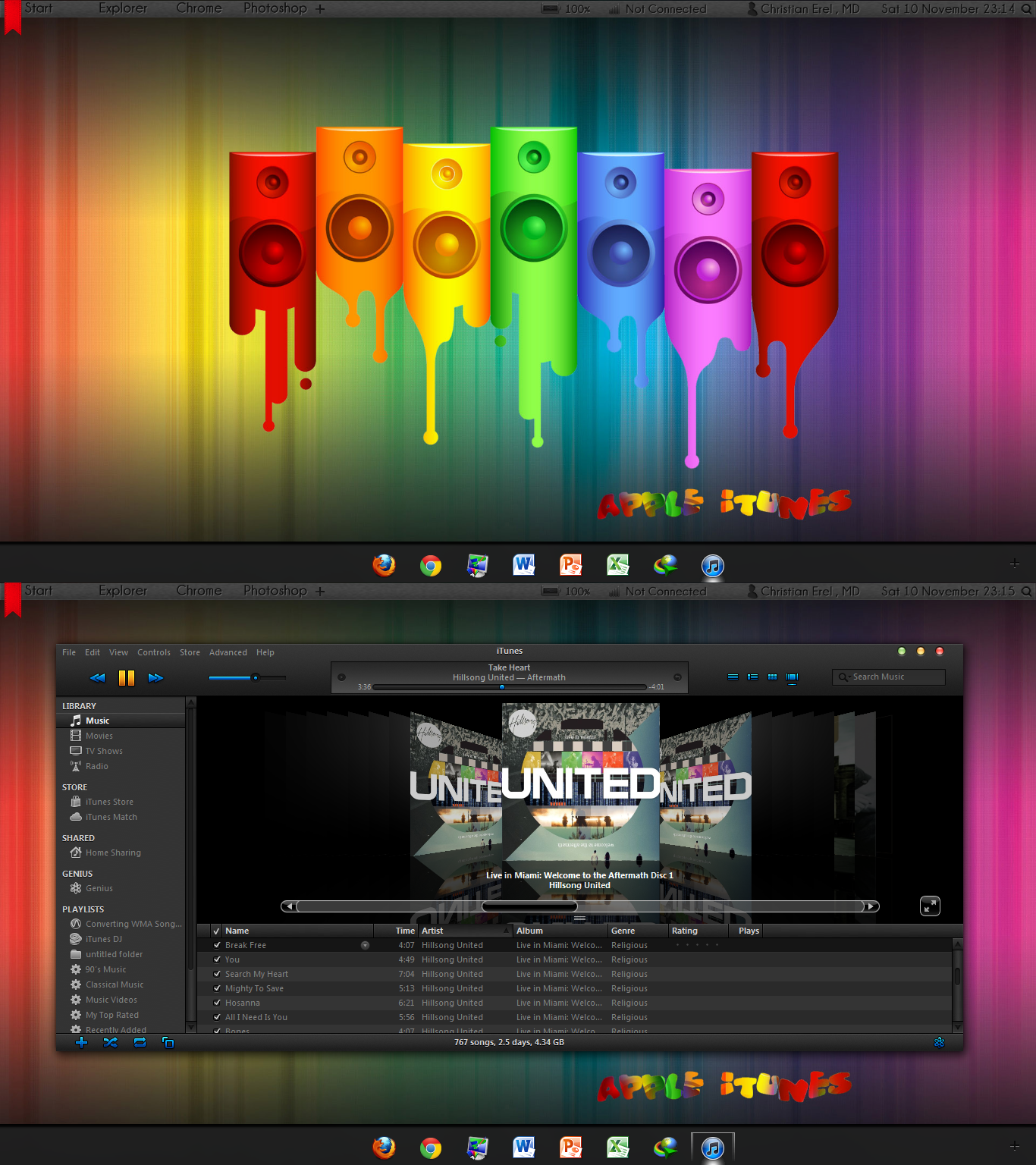
Introducing Night Lion theme v2.0!
PLUS Rainmeter Taskbar Replacement skin
it BOASTS ..
a launcher at the bottom (original Windows taskbar)
and above, a RAINMETER taskbar replacement
see it for yourself
Changelogs to v2.0
::Taskbar is entirely different (below the screenshot w/c contains the icons)
::a lot of modifications tuned to perfection
::included a RAINMETER skin which looks like a taskbar
This theme will provide you:
..full Mac Experience on your Windows 7
..best fonts + best icons (i've tried a lot of Lion Themes here and a lot failed on these)
..theme was made for everyday use
..improved compatibility (tested it on several computers and found no problems at all)
For manual installing (advance users)
you can extract the .exe file with WINRAR
God Bless Deviantart.com!!
++ Utilities ++
Windows Close Button Resizer [link] and set it to 1.5 or 1.6
iTunes theme [link]
RAINMETER 2.4 [link]
=======================================================
credits to:
giannisgx89 [link]
krrisirk [link]
hamzaezz [link]
leonick [link]
=======================================================
NOTE: deviantart has not allowed archives ;( so have to upload it in .mediafire.com
msstyles only:: [link]
UPDATED November 22, 2012!!
:a lot of fixes on the rainmeter taskbar skin
:included Champagne and Limousine FONT in the file (error)
PLEASE INSTALL CHAMPAGE & LIMOUSINE here [link]
Please add this line on your Rainmeter setting (Right Click RAINMETER icon at system tray > Edit Settings > Add this line
DesktopWorkAreaType=0
DesktopWorkArea=0,22,((#SCREENAREAWIDTH#)),((#SCREENAREAHEIGHT#-54))
==========================================
Introducing Night Lion theme v2.0!
PLUS Rainmeter Taskbar Replacement skin
it BOASTS ..
a launcher at the bottom (original Windows taskbar)
and above, a RAINMETER taskbar replacement
see it for yourself
Changelogs to v2.0
::Taskbar is entirely different (below the screenshot w/c contains the icons)
::a lot of modifications tuned to perfection
::included a RAINMETER skin which looks like a taskbar
This theme will provide you:
..full Mac Experience on your Windows 7
..best fonts + best icons (i've tried a lot of Lion Themes here and a lot failed on these)
..theme was made for everyday use
..improved compatibility (tested it on several computers and found no problems at all)
For manual installing (advance users)
you can extract the .exe file with WINRAR
God Bless Deviantart.com!!
++ Utilities ++
Windows Close Button Resizer [link] and set it to 1.5 or 1.6
iTunes theme [link]
RAINMETER 2.4 [link]
=======================================================
credits to:
giannisgx89 [link]
krrisirk [link]
hamzaezz [link]
leonick [link]
=======================================================
NOTE: deviantart has not allowed archives ;( so have to upload it in .mediafire.com
© 2012 - 2024 erelchris
Comments46
Join the community to add your comment. Already a deviant? Log In
Great Theme!
Please port to Windows 8 using the latest BETA of Windows/Vista Style Builder.
And thanks for all the hard work!
Please port to Windows 8 using the latest BETA of Windows/Vista Style Builder.
And thanks for all the hard work!